Coming Soon

All Your Orthodontic Workflows.
One Platform.

The complete digital orthodontics workflow — from diagnosis to appliance fabrication — in one cloud platform, enhanced with AI.

Be first in line. Early adopters get exclusive launch pricing.

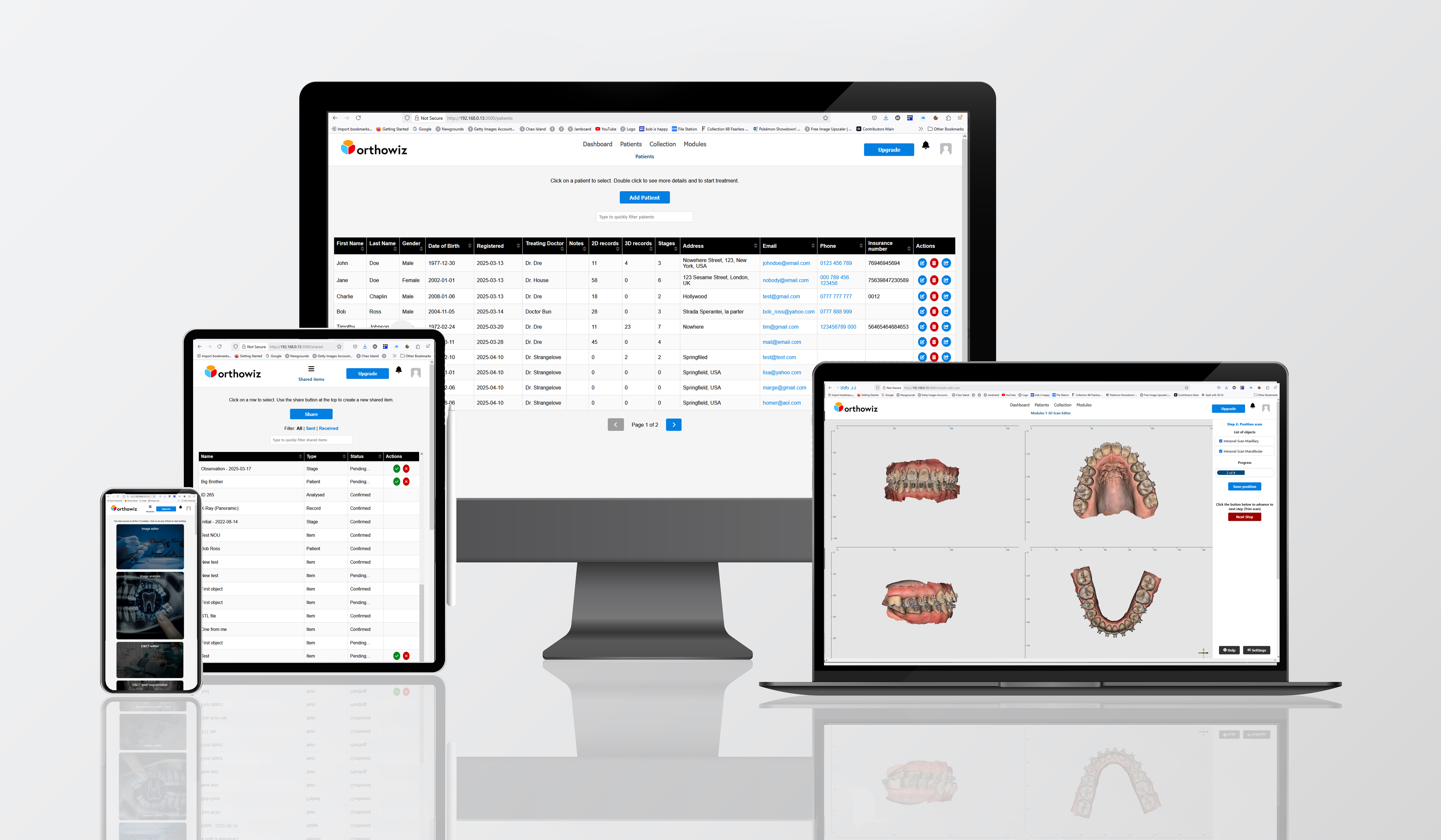
Orthowiz platform running on desktop, tablet, and mobile

You use 5+ tools.
None of them talk to each other.

Expensive desktop licenses, manual exports between every step, no collaboration — your digital workflow is anything but seamless. Orthowiz changes that.

Without Orthowiz
  • Separate scan software, CBCT viewer, ceph tool
  • Manual STL exports between every step
  • Desktop-only, tied to one workstation
  • Expensive hardware to run heavy software
  • Lab communication via email attachments
  • No audit trail across tools
With Orthowiz
  • All modules in one unified platform
  • Data flows automatically between steps
  • Cloud-based — access from any device, anywhere
  • No expensive hardware required
  • Built-in lab collaboration & sharing
  • Complete audit trail on every case

20+ Integrated Clinical Modules

Every module shares data seamlessly — segmentation flows into planning, planning into manufacturing. No exports, no re-imports.

Editor

Image Editor

Adjust contrast, luminosity, color temperature, rotation, and cropping on patient photos and radiographs. Non-destructive editing.

Editor

3D Scan Editor

Import, clean, and register intraoral and desktop scans. Mesh repair, hole filling, and alignment built in.

Editor

Face Scan Editor

Load, orient, trim, and repair extraoral face scan meshes through a guided workflow, ready for downstream use.

Editor

CBCT Editor

Load, visualize, crop, orient, and clean up raw CBCT scans. The cleaned volume feeds directly into segmentation and planning.

Utility

Image Analysis

Overlay measurement lines on patient photos to analyze symmetry, angulation, and proportions. Save and export annotated images.

Utility

Model Builder

Generate 3D-printable orthodontic models with customizable bases and labeling, ready for manufacturing.

Utility

Mesh Clean-up

Repair, optimize, and prepare meshes for downstream processing. Fix holes, smooth surfaces, reduce polygons.

Utility

CBCT Thresholding

Extract regions of interest from CBCT volumes using threshold-based segmentation and filtering.

Utility

3D Object Designer

Intuitive standalone workspace for designing custom 3D objects — attachments, auxiliaries, and more — with boolean operations and precise controls.

Utility

Ceph Tracing

Automated cephalometric landmarking and superimposition across multiple analysis types.

Segmentation

Teeth Segmentation

Per-tooth segmentation for 3D scans, powering downstream treatment planning and model building.

Segmentation

CBCT Teeth Segmentation

AI-assisted volumetric tooth segmentation from CBCT scans with interactive editing tools. Produces per-tooth 3D meshes.

Planning

Treatment Setup

Plan tooth movements stage by stage. Torque, tip, rotation, intrusion — all with real-time 3D visualization.

Planning

3D Image Integration

Multi-source registration — combine CBCT, scans, and face photos into one unified coordinate system.

Planning

TADs Planning

Plan temporary anchorage device placement with CBCT-guided positioning and safety analysis.

Planning

Appliance Designer

Design custom orthodontic appliances — expanders, distalizers, functional appliances, and more — directly on patient dental models.

Planning

Aligners

Smart staging engine with biomechanical constraints, collision detection, and automatic attachment placement.

Planning

Brackets Bonding

Indirect bonding tray generation with precise bracket positioning and jig manufacturing.

Coming Soon

Brackets Off

Guided debonding workflow with enamel cleanup tracking and retainer planning.

Coming Soon

TMJ Analysis

Multimodal joint imaging with condylar assessment and movement tracking.

Coming Soon

Orthognathic Surgery

Multi-segment surgical simulation with osteotomy planning and splint generation.

How It Works

1

Import

Upload 3D scans, CBCT volumes, photos, and patient records. All file types supported, all in one place.

2

Plan

Use AI-assisted tools to segment, trace, analyze, and plan treatment — all modules sharing data automatically.

3

Collaborate & Export

Share cases with labs and specialists. Export manufacturing files. Track everything with full audit trails.

Built for Orthodontic Practices of Every Size

Solo Practices

One doctor, complete digital workflow. No more juggling multiple subscriptions and incompatible tools.

Multi-Doctor Groups

Shared patient charts, team collaboration, and role-based access. Everyone on the same page.

Labs & Specialists

Receive cases securely, communicate in-platform, and deliver results — all without email attachments.

Simple, Transparent Pricing

Plans designed to scale with your practice. No hidden fees, no per-case charges, no per-export fees.

Starter

Coming soon

1 doctor + 1 assistant
Ideal for solo practices

Ultimate

Coming soon

Large practices & labs
Full-scale deployment

Founding members get exclusive launch pricing. Join the waiting list to secure your spot.

Be the First to Experience Orthowiz

Join the waiting list and get early access, exclusive founding pricing, and a direct line to shape the product.

✓ Early access ✓ Founding pricing ✓ Sneak peeks ✓ Shape the roadmap